Back to module list
IgonIT ITSM
IT inventory, racks, cabling, topology, QR codes and incidents integrated in Dolibarr.
What it does
IgonIT centralizes customer IT infrastructure documentation and operations inside Dolibarr, linking devices, racks, ports, cabling, topology and incidents with third parties and locations.
How it works
- Administrator configures device templates, equipment types, QR code format and notification options.
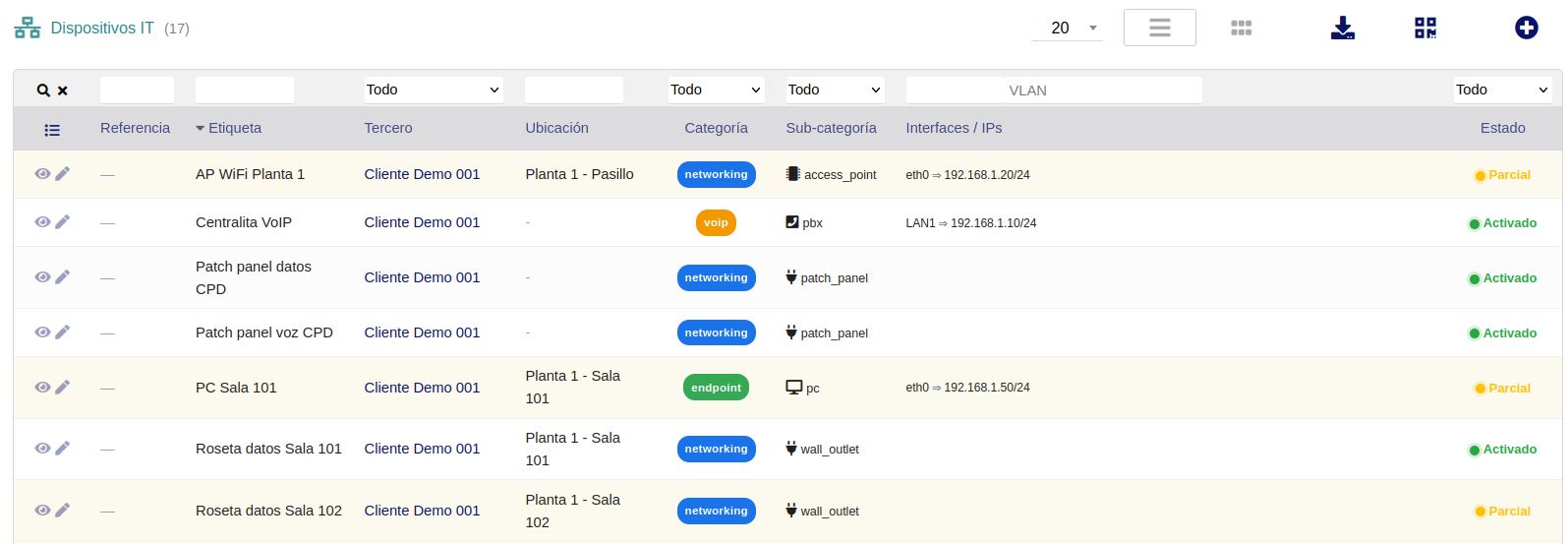
- Technicians register devices by customer, location, rack, port, technical credentials and public reference.
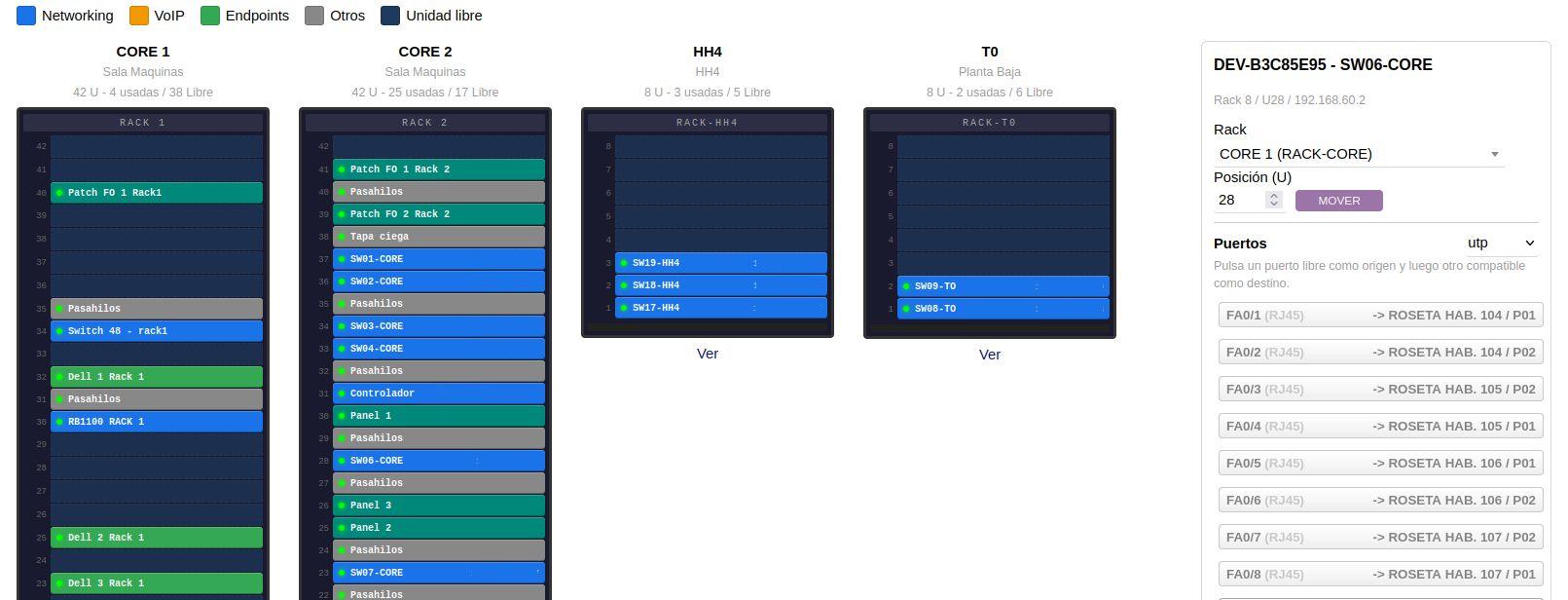
- Rack views show occupied and free rack units visually, allowing equipment placement or movement.
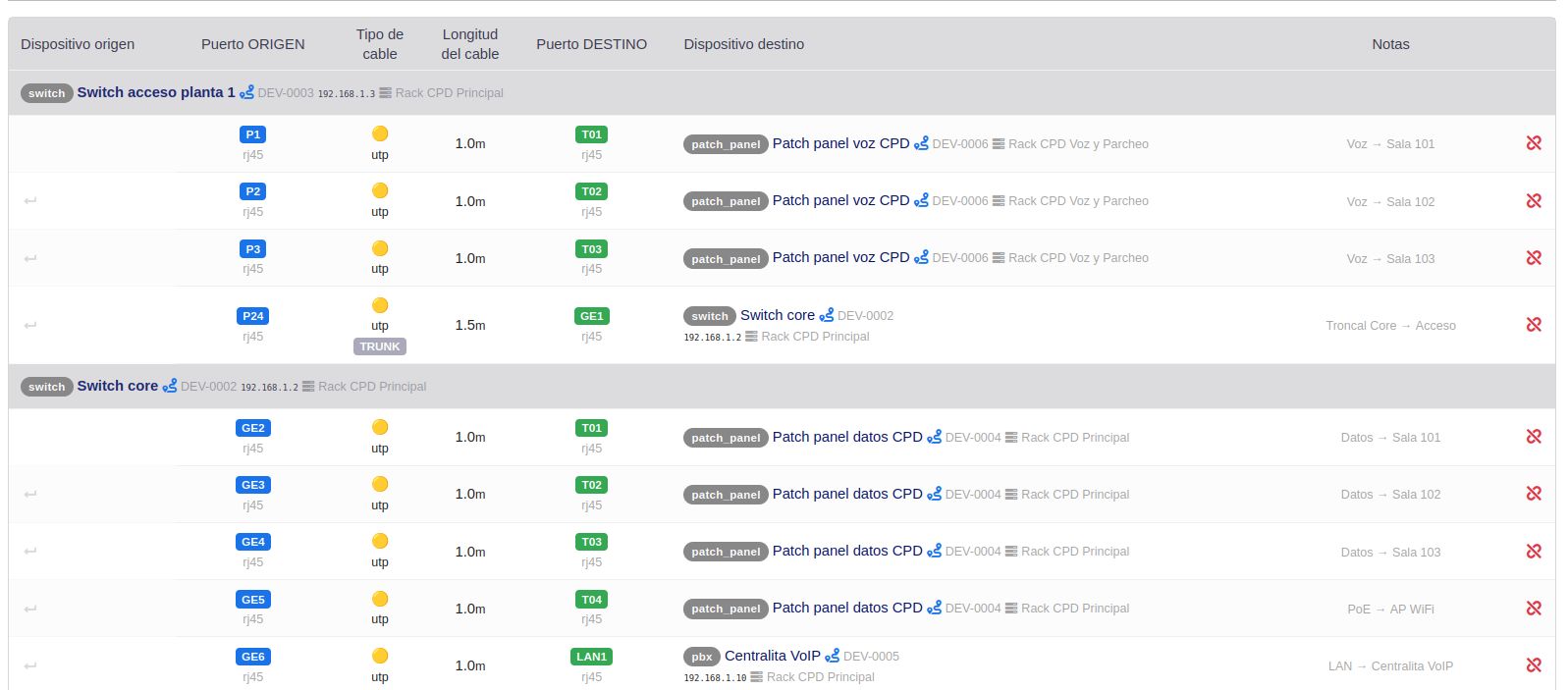
- Cabling is documented by connecting source and destination ports, with cable type, color, length, notes and trunk flag.
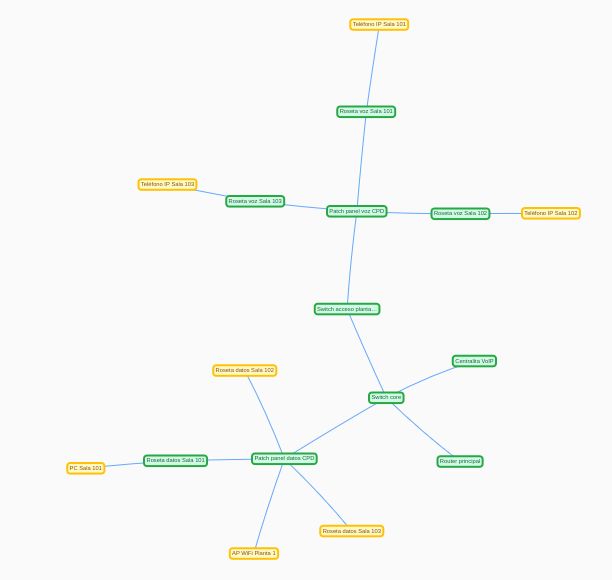
- Topology view displays network connections by customer, location and status.
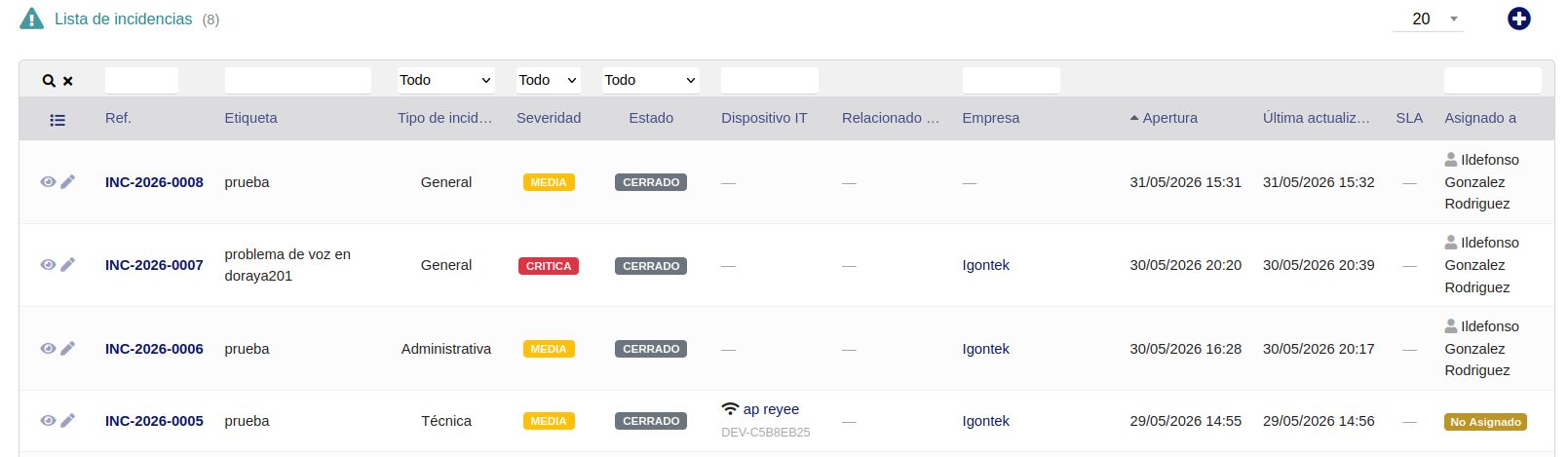
- Incidents can be created from devices or as administrative cases, assigned to users or groups and notified by email or Telegram.
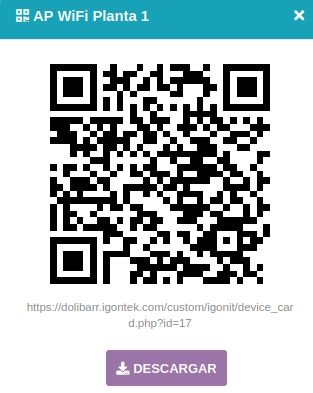
- Reports and QR codes support technical documentation delivery and physical equipment labeling.
Benefits
- Reduces dependency on spreadsheets, photos and scattered notes.
- Centralizes inventory, racks, cabling, topology and incidents in Dolibarr.
- Makes field work easier with QR codes to identify devices and open incidents.
- Improves traceability of connections and equipment by customer.
- Helps document installations for support, maintenance and auditing.
- Provides an operational view for technicians and structured data for infrastructure reports.
Technical sheet
Complete IT infrastructure management for Dolibarr: device inventory, racks, ports, links, topology, incidents, notifications, CSV import, reports and QR label generation.
Base configuration
- Configure device templates, categories, subcategories and default ports.
- Define QR printing parameters: sheet, rows, columns and visible references.
- Enable or disable email notifications for users, groups and customers.
- Configure optional Telegram notifications for technicians.
- Enable the Ticket menu if IgonIT should be used as the main incident system.
Variables and parameters
- Devices: reference, public reference, customer, location, type, brand, model, management IP, rack and rack units.
- Ports: type, label, IP, MAC, VLAN, WiFi, VoIP and technical notes.
- Links: connected ports, cable type, color, length, trunk and observations.
- Incidents: status, severity, origin, user/group assignment and optional relation with Dolibarr objects.
- Notifications: email templates, sent events and optional Telegram channel.
Recommended flow
- Create or import device and port templates.
- Register customers, racks and devices with their physical location.
- Assign equipment to racks and document ports and connections.
- Review topology to understand the customer network.
- Print QR codes and place them on devices.
- Log incidents, assign them to technicians and track them until closure.
- Generate infrastructure reports for internal documentation or customer delivery.
Screenshots
Try IgonIT in our demo
Access the demo
Log in with demo.200 / demo.200 or demo.201 / demo.201