Back to module list
FACe Billing
Electronic invoicing for the Spanish Public Administration through the FACe platform.
What it does
FACe allows generating signed electronic invoices directly from Dolibarr for submission to the Spanish Government's FACe portal (face.gob.es).
How it works
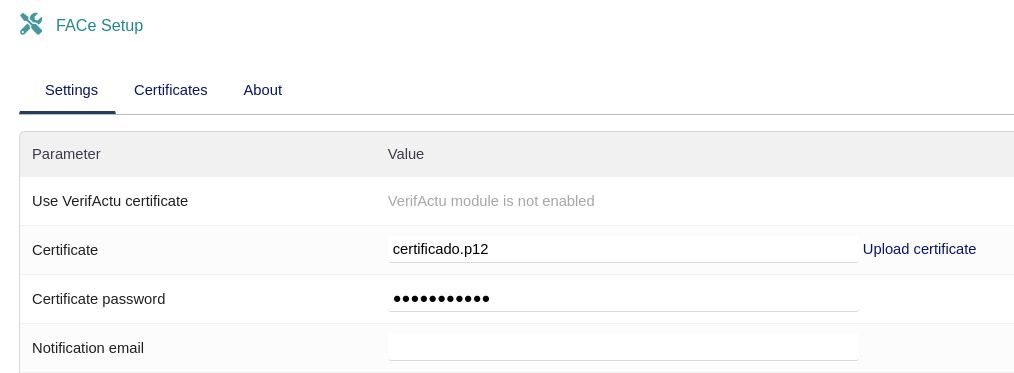
- In the module configuration, upload the official certificate (.p12) with its password
- If the VerifActu module is available, you can reuse its already configured certificate
- Configure administrative centers per third party (Accounting Office, Managing Body, Processing Unit)
- Enable the FACe field (faceenable) on third parties that require electronic invoicing
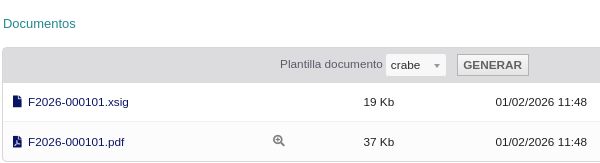
- When validating an invoice and generating the PDF, the signed document (.xsig) is automatically created
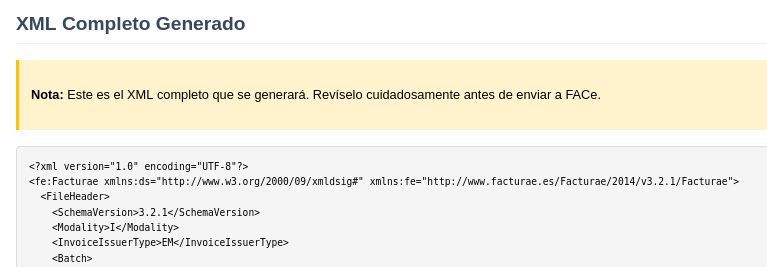
- Verify the generated XML using the view_xml.php tool before submitting
- Upload the .xsig file to the face.gob.es portal for submission
Benefits
- Compliance with Spanish electronic invoicing regulations
- Automatic generation of signed Facturae 3.2.1 document when generating the PDF
- Reuse of VerifActu module certificate if available
- XML verification tool before submission
- Full traceability: PDF and .xsig generated alongside the invoice in Dolibarr
- Administrative center management per third party
Technical sheet
Generates signed electronic invoices in Facturae 3.2.1 format (.xsig) from Dolibarr, with XML verification and manual upload to the face.gob.es portal.
Base configuration
- Upload official certificate (.p12) with its password, or reuse the VerifActu one.
- Configure Accounting Office, Managing Body and Processing Unit per third party.
- Enable the FACe field (faceenable) on third parties that require it.
- Notification email for module alerts.
Variables and parameters
- Active certificate (.p12) and certificate password.
- Option to reuse the VerifActu module certificate.
- Document template for PDF and .xsig generation.
- Administrative centers assigned to each third party.
Recommended flow
- Configure the certificate (.p12) and administrative centers for each third party.
- Enable faceenable on third parties that require electronic invoicing.
- Validate the invoice in Dolibarr and generate the PDF — the signed .xsig is automatically created.
- Verify the generated XML with the view_xml.php tool.
- Upload the .xsig file to the face.gob.es portal for submission.
Screenshots

Try FACe in our demo
Access the demo
Log in with demo.200 / demo.200 or demo.201 / demo.201